Posted on September 15, 2018
(Last modified on April 25, 2019)
| 1 min
| Vincent Tam
|
0 comment
Problem
I would like to submit Flying Grizzly’s form. I filled in every
blanks and then I clicked the “submit” button below. I was greeted with a
MISSING_REQUIRED_FIELDS error within a second.
Posted on September 6, 2018
(Last modified on April 13, 2023)
| 1 min
| Vincent Tam
|
0 comment
Problem
After installing NPM throught Ubuntu’s default apt-get manager, I got
permission errors. Though sudo can solve the problem, that’s not
the right way in principle because NPM is supposed to hold different versions of
Node.js packages for testing. It’s insecure to execute npm with sudo
priviledges.
Posted on September 6, 2018
(Last modified on December 19, 2018)
| 2 min
| Vincent Tam
|
0 comment
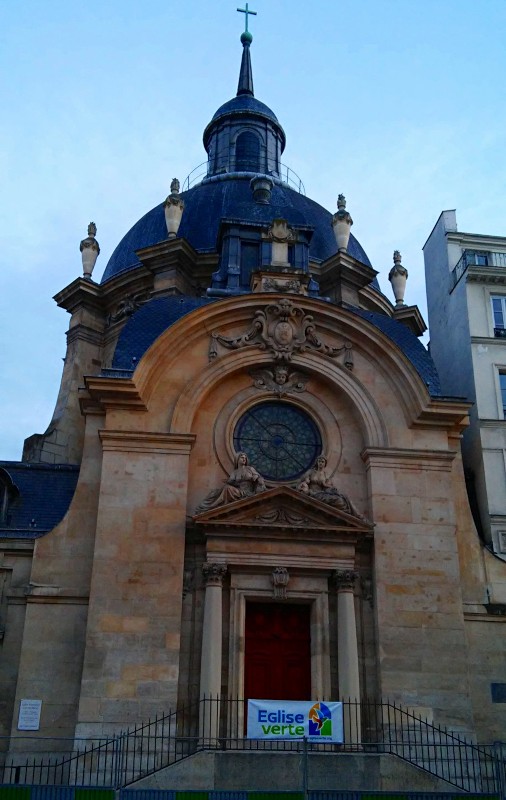
Le Temple du Marais
"Eglise verte" means "green church".
Background: 🈶 ⛪ → 🌿
→ 📧 In the recent decade,
organizations are replacing courrier with email. The reason is two-folded. 🌿
First, the later is more environmentally-friendly. 📨 Second, the later delivers
the content to the recipient quick as a flash.
📧 📎 When one sends an email,
one sometimes wants to attach a file to an email. If one has to sign a paper
document and send it by email, then one will probably need a scanner. (Despite
the emergence of scanning apps on mobile devices, the quality of a scanner is
normally better since the page is flattened during the scan.)
Posted on September 5, 2018
(Last modified on April 13, 2023)
| 1 min
| Vincent Tam
|
0 comment
Main ideas
–
Ideal energy range for storage: 40%–80%
The biggest enemy of electronic parts
is heat
.
Avoid overchanging and unplug AC adapter when charging is complete. In
particular, don’t leave a fully charged laptop connected to power supply.
This can reduce the lifespan of the battery.
Avoid deep discharges: recharge the laptop battery when its enery level
drops to 40%.
Reduce unnecessary programs running in background.
If your hardware vendor supports Linux drivers for batteries, set the charging
thershold to 80%.
Posted on August 18, 2018
(Last modified on April 13, 2023)
| 4 min
| Vincent Tam
|
0 comment
Objective
To get a hands-on experience on Ubuntu installation on a UEFI hybrid system.
Devices
120 GB SSD disk: /dev/sda
1 TB HDD disk: /dev/sdb
8 GB USB key: /dev/sdc
Stage 0: precautions
Ensure that your machine has enough
power.
Disable Secure Boot in M$ Windows
Disable Quick Boot in boot menu
Stage 1: Make your live USB key
I tried Xubuntu’s built-in disk writing tool to create a live USB key from the official ISO file.
Like my Xubuntu 18.04 installation on Fujitsu LH532 , the installer crashed during the installation. After
submitting the generated report to Launchpad, I found out that the cause for
this crash: the integrity test for my live USB key had failed.
Posted on August 15, 2018
(Last modified on April 13, 2023)
| 1 min
| Vincent Tam
|
0 comment
It’s FOSS’s after-installation guide #11 recommends TLP. However,
this package stopped my laptop from shutting down and logging in. I resorted
to remove it through TTY.
Posted on July 23, 2018
(Last modified on August 5, 2026)
| 8 min
| Vincent Tam
|
0 comment
😖 @ 📃! This post contains unpleasant images. If you don’t
wish to see them, please view this page with a text browser or a text mode
plugin of your browser.
Rationale
Why?
My Fujitsu LH532 has been serving me
well as my production machine for almost six years.
The keyboard was quite dirty: it’s full of hair and dandruff. I had to clean
it for personal hygiene.
Posted on July 9, 2018
(Last modified on April 14, 2023)
| 1 min
| Vincent Tam
|
0 comment
Problem
One can use xrandr to adjust screen brightness. However, the
factor (default to 1.0) is relative to the current brightness.
How to enable the brightness adjust keys / on the keyboard under Xubuntu 18.04?
Solution
Toz’s post on Ubuntu Forum works like a charm. The default value
for GRUB_CMDLINE_LINUX is an empty string. Changing it to
acpi_backlight=vendor and updating the GRUB has solved the
problem since the next boot.